2026-06-09 08:37:19
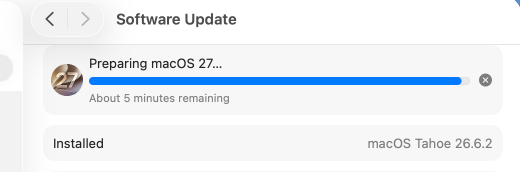
So #macOS 27 feels like one of the most stable betas I have used of macOS so far. Probably because it doesn't really have any new features anyway, just the AI stuff that isn't going to be available here in the EU. 🇪🇺
Question for #macOS users: anyone trying out Emacs 31 pretest? What build?
Thank you!
Ok the Liquid Glass refinements in macOS #GoldenGate actually feel usable. So I guess I can keep using #macOS after Sequoia.
Wow, ich nutze #MacOS seit über einer Dekade, aber das Verzeichnis /Users/Shared war mir bisher nicht bekannt.
👍
I'm really liking MacDown 3000 for editing and viewing Markdown files on macOS. Especially the ability to customize the style sheets.
#macOS
Another stupid MacOS 26 Tahoe change making my life harder. In Tahoe, several USB tools I use are broken. They call `system_profiler SPUSBDataType` internally to get USB info. In Tahoe that's gone, replaced by "SPUSBHostDataType", which returns not enough info.
If anyone has any tips on a built-in equivalent, let me know!
#macos
Another stupid MacOS 26 Tahoe change making my life harder. In Tahoe, several USB tools I use are broken. They call `system_profiler SPUSBDataType` internally to get USB info. In Tahoe that's gone, replaced by "SPUSBHostDataType", which returns not enough info.
If anyone has any tips on a built-in equivalent, let me know!
#macos
Neue Claude-Funktion für macOS: KI steuert eigenständig Maus, Tastatur, Apps und Dateien — auch per Smartphone-Fernzugriff. Anthropic empfiehlt, keine wichtigen Daten damit zu bearbeiten. #Golem #AIRisiken #MacOS
»Fn c« öffnet unter macOS das Kontrollzentrum.
Gerade herausgefunden und unsicher, ob ich es je verwenden werde.
#macOS #keyboardshortcut
Finally found a nifty app to disable those pesky macOS Spaces animations!
#macOS #opensource #utility
That would have been more interesting to me a decade ago.
#NotepadPlusPlus #Mac #MacOS
🍎 Lume handles #macOS & Linux virtualization with near-native performance on #AppleSilicon using Apple's Virtualization.Framework, plus Lumier for a Docker-compatible interface
🔁 Every session records as a replayable trajectory; works with the CLI or
Any #Apple device is where the user's #creativity dies.
#macOS #iOS
I'm so glad I have a Linux box on my desk to MOUNT USB DRIVES because #MacOS just decides to forget how to do it (and hangs Disk Utility). The device is there! It works! It shows up in USB Prober! A reboot fixes it! WHY? Apple, you used to do USB MSC so well, what happened? It's so tiring.
🤔 mal testen wie man seine Fotos sichert #macos
nice walk down memory lane. I believe my earliest experience with MacOS was System 7.5.3 so a little past the revelation of 7.0 but still far enough back that I remember stuff like Conflict Catcher, using AppleScript for everything, the controversy of Copland and the sad reign of Gil Amelio before Jobs returned.
#apple #MacOS #System7
I'm so glad I have a Linux box on my desk to MOUNT USB DRIVES because #MacOS just decides to forget how to do it (and hangs Disk Utility). The device is there! It works! It shows up in USB Prober! A reboot fixes it! WHY? Apple, you used to do USB MSC so well, what happened? It's so tiring.
The latest Finder bug is that I have windows open that I can move around but can no longer select the files in the window. I also cannot close, or maximize or minimize the window.
I have four of them jammed into the lower edge of the screen for now until I reboot. (Current uptime is 22 days.)
#macOS #apple
I believe I've heard that Shortcuts Automation does *not* work with iCloud folders on #macOS?
Could experts confirm this?
I always wanted a remote for PowerPoint that would allow me to use the phone as the laser pointer. So, I've made one! (macOS only, sorry)
#macOS #opensource #swift
🐝 #Perplexity just open-sourced Bumblebee — a read-only supply-chain scanner for #developer endpoints on #macOS &
So cute… A collection of Lil Finder wallpapers
#Apple
Let's try the #macOS Tahoe Shortcuts automation for folder automation.
The attempt failed sooner than even the most pessimists of us would've thought. The error? "The folder exceed the maximum allowed size" WHAT????
Ok - here's my #macOS (Tahoe) specific #steamcontroller #gaming #steam personal experience, having tried it out:
So - it works!
BUT
The setup process from Valve does you no favors. While their help guide (https://help.steampowered.com/en/faqs/view/33E8-5EDF-24E6-4CFB#mac) has a Mac specific setup section - the on-screen setup in the Steam client itself does not help out Mac users at all
The guide mentions you need to grant Steam "Input Monitoring" permission - but until I did this, Steam didn't even agree the controller was connected (via USB directly or via the Puck)
And then the second permission "Accessibility" was explicitly necessary if you wanted to do a mouse and keyboard game and it needed to move the cursor (I chose Scritchy Scratchy as a test for this specific reason, especially since they just added macOS support)
Another downside: the default keyboard and mouse layout for the controller maps shoulder buttons to scroll up and down - but only a single increment per press! I had to reconfigure it to enable turbo/repeated scrolling events.
(1/2)
https://www.golem.de/news/little-snitch-netzwerk-sniffing-tool-kommt-von-macos-zu-linux-2604-207412.html
Na wenn das keine guten Neuigkeiten sind.
Probably the least helpful or logical dialogue I've seen on #MacOS in a while. Can or cannot? Green gheckmark for an error? And this is an Apple Keyboard with TouchID, so very recent.
Needless to say that this "keyboard identification" is all useless anyway because the keyboard is working just fine. After all, it is just a USB-keyboard.
God I hate how much the 'recent' folder in Apple macOS has screwed up people's knowledge of where files are stored.
Most beginning to intermediate computer users have no idea where their files are, how to find them, or how to organize them.
Also, automatically forcing people to save onto the Cloud rather than their computers in a way that automatically limits their storage capacity and degrades their user experience is wrong.
#Apple #macOS #Cloud #iCloud #FileManagement
Who knows a command line tool on #MacOS which can put any file in the clipboard ? I think like
open A.pdf (opens a file in default application)
copy A.pdf (puts the file in the clipboard)
#anOldDogCanLearnNewTricksAfterAll