 @nobodyinperson@fosstodon.org
2026-02-06 15:17:21
Oh how I wish :inkscape: #Inkscape had an automatic also-save-as-PDF-on-save functionality...
inkscape -o myfile.{pdf,svg}
is nice and short, and you can easily #watchexec that, but it'd be so great if it could just auto-save a PDF version next to the SVG on save.
 @zachleat@zachleat.com
2026-02-04 15:07:25
 @hynek@mastodon.social
2026-01-22 10:50:20
I needed a simple thing:
1. Create 3000x1000 document.
2. Add a white box as background.
3. Insert a 9 KB SVG.
4. Export as SVG.
Exported SVG sizes:
Inkscape: 9 KB
Affinity Designer 2: 32KB
Affinity (new): 120 KB
Pixelmator Pro: 1 MB
2026 and Inkscape remains the only first-class SVG editor. 😳
 @hanno@mastodon.social
2026-01-27 12:47:59
Followerpower: I want a commandline tool that can do the following: take an SVG file input and produce a square-sized SVG output with the input centered and filled with transparency? I.e., let's say input is 50x100, output would be 100x100 with the input's content shifted 25px to the right.
 @cyrevolt@mastodon.social
2026-03-04 21:23:32
I got @… to render the same lines from JIJI that I rendered as SVG; it's actually quite trivial! :)
more to come, filled areas shall be next 👀

 @matthiasott@mastodon.social
2026-02-02 19:40:56
“Please note that access to your Animate files and project data will end on 1 March 2027. To ensure a smooth transition, we encourage you to export your Animate FLA and XFL files to other formats such as SWF, SVG and MP4 files before this date.”
R.I.P., #Flash. 🪦
 @mgorny@social.treehouse.systems
2026-01-03 13:09:36
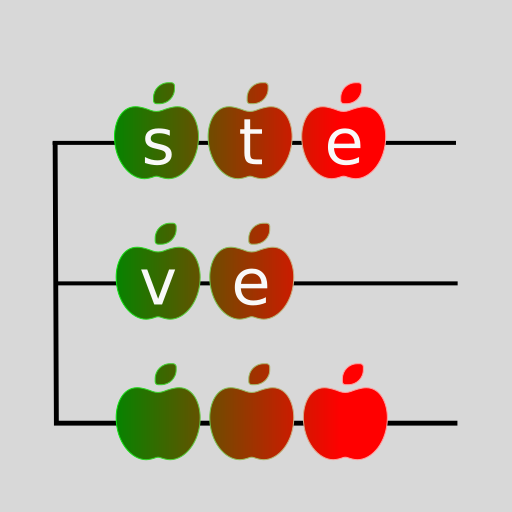
So it's been pointed out that steve, the #jobserver, doesn't have a #logo. Here's a first approximation. Made in #Inkscape, using lines and fonts (the apples are from Noto Sans, I think). I also have an SVG version but browsers mess it up by substituting the apples for some colorful emojis with incompatible metrics. I've added a bright background, since the actual transparent background doesn't work on black (which seems to be Mastodon default).
 @grahamperrin@bsd.cafe
2026-03-03 05:14:35
From <https://pluralistic.net/2026/03/02/nonconsensual-slopping/#robowanking>:
> (Image: Cryteria <https…