 @datascience@genomic.social
2026-08-22 10:00:01
@datascience@genomic.social @datascience@genomic.social @teoten@social.linux.pizza
I am proud to announce that r-ts-mode is now available on GNU ELPA and as such, it can be installed directly from any Emacs installation.
The package provides tree sitter functionality for syntax highlighting, indentation, R standard typos, function search and semantic navigation. The major mode has the possibility of being used with ESS but it can also be used independently.
It represents a big milestone for the
@datascience@genomic.social{piggyback} makes it easier to attach large files (e.g. input data) to code in github repos: #rstats
@datascience@genomic.socialIm using case_when() quite a lot, case_match() is new to me: #rstats
@datascience@genomic.socialAdd some swag to your ggplots, with fontawesome symbols and colors: #rstats
@datascience@genomic.socialPrimer to get you started with Optimization and Mathematical Programming in R #rstats
@datascience@genomic.social @datascience@genomic.socialDo you need better performance than what the standard #tidyverse functions have? {collapse} might be worth a look: https://sebkrantz.github.io/collapse/
@datascience@genomic.socialWhat They Forgot to Teach You About R: #rstats
@datascience@genomic.social{rsonar} combines lintr, styler, covr and goodpractice into an interactive code quality report for R projects, including technical debt and quality gates: #rstats
@datascience@genomic.social{purrr} has some lesser known functions that make handling of failing function calls easier: safely, quietly, possibly: #rstats
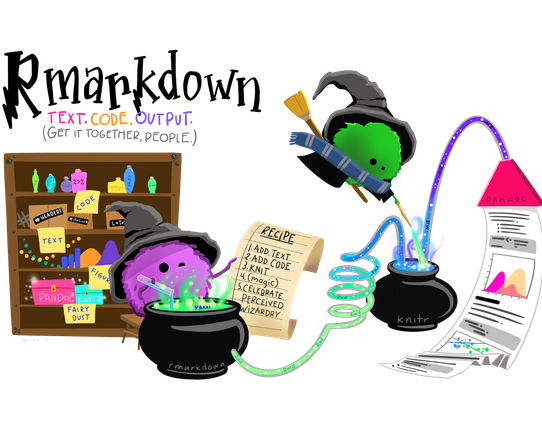
@teoten@social.linux.pizza @datascience@genomic.socialInteractive resizing of picture and table content in Rmd and Quarto: #rstats
@datascience@genomic.socialRapp turns ordinary R scripts into command-line tools and generates arguments and help from the structure of the script: #rstats
@datascience@genomic.social{spiralize} can be used to highlight cyclic data, e.g. multi year time series. #rstats
@datascience@genomic.socialThe {conflicted} package makes sure that namespace conflicts are solved explicitly and prevents unpleasent surprises: #rstats
@datascience@genomic.social{tabpfn} brings a pretrained deep-learning model for tabular data to R, with familiar formula, recipe and predict() interfaces: #rstats
@datascience@genomic.social @datascience@genomic.socialFollow along when @… walks you through how she tackles a new dataset: https://www.youtube.com/c/JuliaSilge
@datascience@genomic.social{duckplyr} is a drop-in replacement for dplyr powered by DuckDB. Keep the familiar dplyr syntax while speeding up work with large datasets: #rstats
@datascience@genomic.social @datascience@genomic.socialLinear programs help to find optimal solutions based on a set of constrains. I used {ompr} before, but the new package {tidyLP} looks promising and integrates with the tidyverse. #rstats #linearprograms #optimization
@datascience@genomic.socialGetting started with Shiny to make interactive web-apps with R: #rstats
@datascience@genomic.socialThere are many situations were you need access to different R versions: rig is a way to manage them #rstats
@datascience@genomic.social{ggblanket}, a wrapper around #ggplot for quick, explorative plots with sensible defaults and less code. https://davidhodge931.github.io/ggblanket/
@datascience@genomic.social @datascience@genomic.socialThe fastverse is a suite of complementary high-performance packages for statistical computing and data manipulation in R. #rstats
@datascience@genomic.socialNot sure any longer which libraries your script actually needs? #rstats
@datascience@genomic.socialCustomize what happens when you start R: #rstats #environment
@datascience@genomic.social @datascience@genomic.social @datascience@genomic.socialA pictures says more than 1000 words. How much more can an audio representation of your data tell you? #rstats
@datascience@genomic.socialThe {esquisse} package makes it easy to plot your data in different ways with a drag and drop interface: #rstats
@datascience@genomic.social @datascience@genomic.social @datascience@genomic.social @datascience@genomic.social{ggtintshade} adds a tint/shade aesthetic to ggplot2 in addition to hue. This makes it possible to show groups and subgroups using related colours, and works for both nested and crossed designs: https://github.com/wkumler/ggtintshade
@datascience@genomic.social @datascience@genomic.social{annotater}: Annotate package load calls, so we can have an idea of the overall purpose of the libraries we’re loading: #rstats
@datascience@genomic.socialIts good to have many tests in your R package, but it can be a pain to debug some failing tests when it happens. {lazytest} for the rescue: only rerun the failing tests, until they pass: #RStats
@datascience@genomic.social @datascience@genomic.social @datascience@genomic.socialUse multi level models with {parsnip}: http://multilevelmod.tidymodels.org/ #rstats #ML
@datascience@genomic.social @datascience@genomic.socialThe inner working of parquette/arrow data in R: #rstats
@datascience@genomic.social{testthat} is great for automatic testing. Here are some tricks for the heavy user: #rstats
@datascience@genomic.socialI am more fluent in LaTeX than in plotmath expression. If you are the same, latex2exp will make your life easier. https://cran.r-project.org/web/packages/latex2exp/vignettes/using-latex2exp.html
@datascience@genomic.social{dtrack} makes documentation of data wrangling part of the analysis and creates pretty flow charts: #rstats
@datascience@genomic.social @datascience@genomic.social{ivs} makes it easier to work with intervals: #rstats
@datascience@genomic.socialR doesnt need to be a hard and scientific tool 📈. You can use it to make art 🎨: #rstats
@datascience@genomic.socialAdd highlighting to your quarto presentation using the RoughNotation library: #rstats
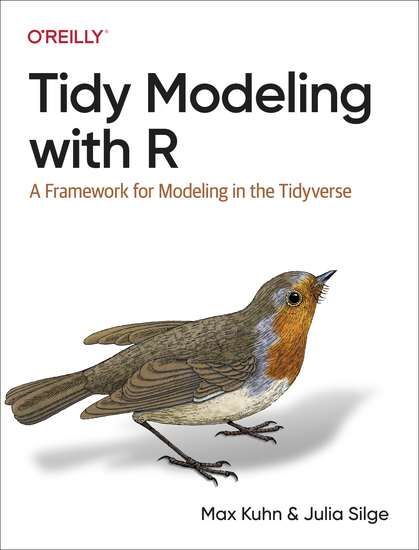
@datascience@genomic.socialTidy Modeling with R: #rstats #machinelearning
@datascience@genomic.socialSometimes (often) one ends up needing to run older versions of R using older versions of packages. Evercran might be just the tool to help with that: #RStats…
@datascience@genomic.socialAre you interested in how dependency-heavy your (or another) package is and why? #rstats
@datascience@genomic.socialExtract tables from pdfs with {tabulapdf} #rstats #datasciece
@datascience@genomic.social @datascience@genomic.socialUsing fonts in R graphics can be tricky at times. {showtext} aims to make it easier: #rstats
@datascience@genomic.socialLets be honest, we spend too much time cleaning data. {janitor} can help with that: #rstats #datasciece
@datascience@genomic.social{nplyr} has helper functions to work on nested dataframes: #rstats #datascience
@datascience@genomic.social @datascience@genomic.social @datascience@genomic.socialCute comics of R functions by @…: https://allisonhorst.com/r-packages-functions
@datascience@genomic.socialIt has happened to the best of us: You forgot the name of a function or the package that function was in but you are sure its there somewhere and does exactly what you need! Introduce {forgot}, it helps you find that function: https://github.com/parmsam/forgot
@datascience@genomic.socialFriends Don't Let Friends Make Bad Graphs! Do you agree with the examples of bad graphs and the alternatives Chenxin Li (@chenxinli2.bsky.social) lists at #RStats
@datascience@genomic.socialEasier debugging of piped analyses in R: https://github.com/MilesMcBain/breakerofchains by @…
@datascience@genomic.socialSometimes you get data in less than optimal format, e.g. as a png of a figure 😭... In that case https://cran.r-project.org/web/packages/metaDigitise/vignettes/metaDigitise.html might be the rescue.
@datascience@genomic.socialFind the best contrast between one color and a list of options, e.g. for labels in geom_tile: {prismatic::best_contrast()} https://emilhvitfeldt.github.io/prismatic/reference/best_contrast.html
@datascience@genomic.socialIf you set limits for a scale (e.g. x-axis) in ggplot, how would you like data outside of that range be handled? There is the oob parameter for that and a set of functions to use with it: https://scales.r-lib.org/reference/oob.html